How To Resolve Smart Plug Making Clicking Noises?
That sudden clicking sound from your smart plug can be alarming. It might happen once, or it might keep going in a loop. Either way, it is a sign that something needs your attention.
Smart plugs click for several reasons. The most common causes include relay chattering, loose internal wiring, power cycling loops, and Wi-Fi connectivity issues. Some brands are more prone to this than others, and the timing of the clicks can tell you a lot.
Clicking at night often points to voltage instability in your home. Clicking during heavy device use may mean your plug is overloaded. A repeated clicking loop usually suggests a software or connectivity glitch.
This article walks you through every common cause of smart plug clicking noises. You will also get clear, step-by-step fixes to try at home. By the end, you will know exactly what is causing the noise and how to stop it for good.
In a Nutshell
Smart plugs click because of relay activation, loose internal wiring, or power cycling loops that repeat on and off.
Wi-Fi connectivity issues can also cause the plug to keep restarting, which triggers that clicking sound repeatedly.
Overloading a smart plug with too many devices is a frequent mistake that stresses the internal relay and causes noise.
Resetting the plug is often the first and most effective step before trying any other fix.
You should inspect the wall outlet for worn or corroded contacts, as a damaged receptacle can cause the same clicking behavior.
Ignoring repeated clicking is risky. It can sometimes point to an electrical hazard that needs immediate attention.
Why Is Your Smart Plug Making Clicking Noises?
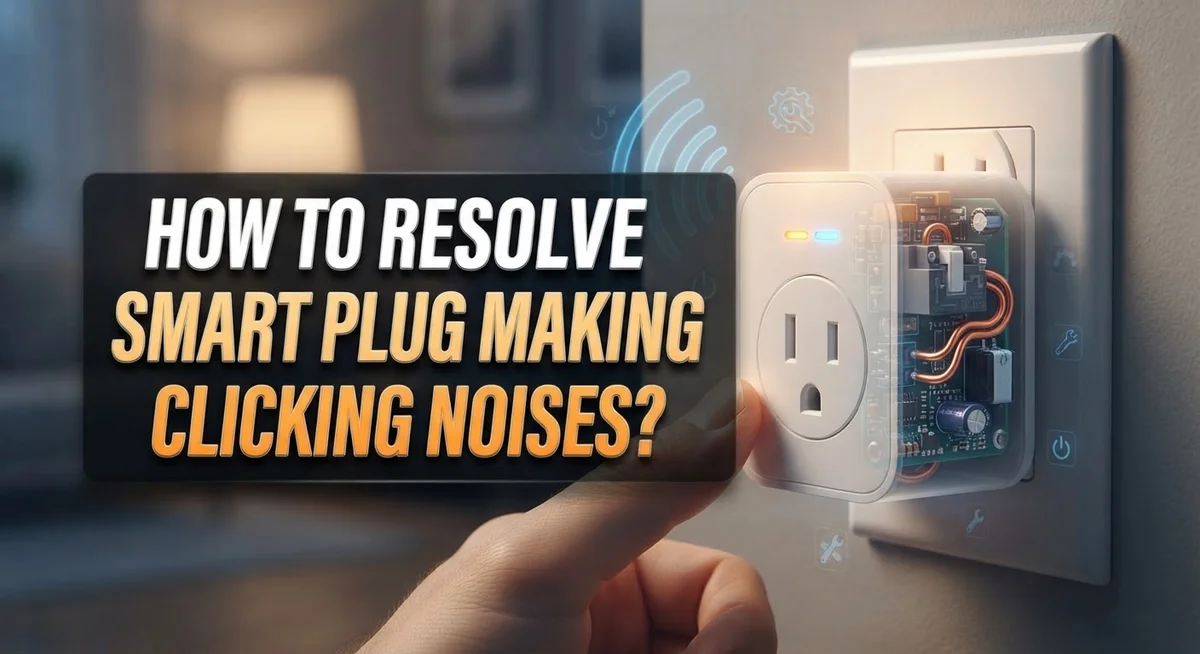
A clicking noise from your smart plug happens when the internal relay switches on and off repeatedly. Think of the relay as a tiny switch inside the plug that controls power flow. When it clicks, that switch is activating.
Relay chattering is the most common culprit. This occurs when the relay vibrates rapidly instead of making one clean switch. Loose internal wiring inside the plug can cause this vibration. Over time, components shift slightly, and the relay loses its stable position.
Power cycling loops create another clicking pattern. Your smart plug turns on, detects a problem, turns off, then tries again. This cycle repeats continuously, producing that annoying clicking sound. Wi-Fi connectivity issues often trigger these loops when the plug cannot maintain a stable connection to your network.
Voltage sags in your home electrical system cause clicking too. When power dips momentarily, the relay struggles to stay engaged. This is especially common at night when fewer appliances run, or during peak usage hours in your neighborhood.
Worn outlet contacts can force your smart plug to work harder. If the wall outlet has corroded or damaged metal contacts, the plug cannot connect properly. This forces the relay to keep trying to establish good contact, resulting in repeated clicking.
Device overloading stresses the internal relay significantly. Plugging too many devices into one smart plug draws excessive current. The relay clicks as it attempts to handle power demands beyond its design capacity.
Finally, loose connections between the plug and the outlet create intermittent contact. This forces the relay to constantly reconnect, producing that clicking sound you hear.
How to Identify the Type of Clicking Your Smart Plug Is Making
Identifying the type of clicking your smart plug makes helps you pinpoint the exact problem. Different sounds tell different stories about what’s happening inside.
Rapid clicking sounds like a machine gun and repeats many times per second. This pattern usually means your relay is chattering or the plug is stuck in a power cycling loop. Rapid clicking often gets worse when you connect power hungry devices to the plug.
Slow clicking happens once every few seconds or minutes. This sound typically indicates voltage instability in your home electrical system. Slow clicking often occurs during evening hours when your home uses more power overall.
Intermittent clicking stops and starts without a clear pattern. This type suggests loose internal wiring or a poor connection between your plug and the wall outlet. The sound may disappear for hours, then return suddenly.
Pay attention to when the clicking happens. Does it occur only when devices are plugged in? Does it happen at specific times of day? Does it start right after you turn something on? These details matter because they reveal whether the problem stems from power demand, voltage issues, or Wi-Fi connectivity glitches.
Listen closely to the sound location too. Does the clicking come from inside the plug body itself? Or does it seem to come from the outlet behind the plug? Sounds from inside suggest internal relay problems. Sounds from the outlet point to contact corrosion or damage.
Record the clicking with your phone if possible. This helps you describe the exact pattern to an electrician if you need professional help later. The sound pattern you identify becomes your first clue toward solving the problem efficiently.
Step-by-Step Guide to Resetting Your Smart Plug
Resetting your smart plug is the fastest way to stop clicking noises in most cases. This process clears any software errors or Wi-Fi loop glitches that trigger the relay to chatter.
Find the reset button first. Most smart plugs have a small reset button on the side or back. It looks like a tiny dot or recessed circle. Check your plug’s manual if you cannot locate it easily.
Press and hold the reset button. Use a straightened paperclip or small pen tip to press the button firmly. Hold it down for 10 to 15 seconds without releasing. The light on your plug will blink or change color when the reset begins.
Wait for the reset to complete. Keep holding until the light stops blinking and returns to normal. This usually takes another 5 to 10 seconds. Some plugs will beep or flash rapidly to confirm the reset worked.
Unplug the device from the wall. After the reset finishes, remove the smart plug from the outlet completely. Wait 30 seconds before plugging it back in. This gives the internal circuits time to fully discharge.
Reconnect to your Wi-Fi network. Once you plug it back in, the smart plug will enter pairing mode. Use your phone app to connect it to your home network again. Follow the app’s setup steps carefully to ensure a strong connection.
Test for clicking sounds. Plug in a low-power device and listen for 2 to 3 minutes. If clicking continues after resetting, the problem likely involves loose wiring or a damaged outlet instead.
How to Inspect and Fix Loose Wiring or Corroded Contacts
Loose wiring and corroded contacts are common electrical issues inside smart plugs. These problems cause clicking because the relay cannot maintain a steady connection. When wiring loosens, electrical current jumps between contacts instead of flowing smoothly. This jumping creates the clicking sound you hear.
Inspect the outlet first. Look at the wall socket where your smart plug connects. Push a pen or small object into each hole gently. The holes should grip firmly and feel tight. If they feel loose or wobbly, the outlet receptacle is worn out. Worn outlets cannot hold smart plugs securely, which causes intermittent contact and clicking.
Check the plug prongs next. Remove the smart plug from the outlet and examine the metal prongs closely. Look for dark spots, burn marks, or discoloration on the prongs. These marks indicate corrosion or heat damage. Gently rub the prongs with a clean, dry cloth to remove any dust or light corrosion.
Look inside the outlet carefully. Use a flashlight to peer into the outlet holes. You may see black marks, burn spots, or debris inside. These signs mean the outlet has internal damage and needs replacement.
Consider the outlet age. Outlets older than ten years often develop loose contacts naturally. Frequent unplugging and replugging wears out the metal springs inside. If your outlet is old and the smart plug keeps clicking, the outlet itself likely needs replacement.
Do not attempt to repair the outlet yourself. Contact a licensed electrician to replace damaged outlets safely. A faulty outlet can pose an electrical fire risk, so professional help is important here.
How to Resolve Wi-Fi Connectivity and Power Cycling Loop Issues
When your smart plug clicks repeatedly, Wi-Fi connectivity issues or power cycling loops are often the culprits. These problems create a frustrating cycle where the plug loses connection and automatically restarts.
Understanding power cycling loops happens when your smart plug repeatedly powers on and off. This occurs because the device loses Wi-Fi signal, resets itself, then searches for the network again. The clicking sound you hear is the internal relay switching on and off during each cycle.
Check your Wi-Fi signal strength first. Move closer to your router to test if the clicking stops. Weak signals force your smart plug to work harder and cycle more frequently. If the clicking disappears, your router placement needs adjustment.
Restart your Wi-Fi router next. Unplug your router for 30 seconds, then plug it back in. This clears connection problems that may affect your smart plug. Wait for the router to fully restart before checking the plug.
Reset your smart plug to clear any corrupted settings. Press and hold the reset button until the light blinks rapidly. This erases all previous network information and stops the cycling loop.
Move the plug away from interference sources. Microwaves, cordless phones, and baby monitors disrupt Wi-Fi signals. Place your smart plug at least three feet away from these devices.
Check your outlet voltage if clicking continues. Voltage sags or fluctuations trigger power cycling in smart plugs. A faulty outlet can cause this issue, requiring professional inspection.
Update your plug’s firmware through the manufacturer’s app if available. Software updates fix known connectivity bugs that cause clicking noises. Check the app settings for available updates regularly.
How to Prevent Device Overloading on Your Smart Plug
Device overloading is one of the most common reasons your smart plug clicks repeatedly. When you plug too many devices into a single outlet through your smart plug, the electrical load exceeds safe limits. This triggers the relay to click on and off as it tries to protect the circuit.
Start by checking what devices you’re currently plugged in. Remove everything except one low power device like a phone charger. If the clicking stops, you’ve found your problem. Add devices back one at a time to identify which combination causes issues.
Most smart plugs handle between 10 to 15 amps safely. High power devices like space heaters, coffee makers, or hair dryers consume significant amperage on their own. Never plug multiple high power devices into the same smart plug outlet.
Calculate your total power draw by checking device wattages. Add them together and divide by your voltage (usually 120 volts in North America). This gives you the amperage you’re using. If the number approaches or exceeds your smart plug’s rating, you’re overloading it.
Spread your devices across different outlets instead. Use separate smart plugs for high power appliances. This prevents relay stress and eliminates the clicking noise.
Check your smart plug’s manual for its specific amperage rating. Different brands and models have different limits. Some handle more load than others. If you consistently need more power than one outlet provides, consider using a power strip with individual switches instead. This lets you control which devices stay active, reducing overall load on any single outlet.
Common Mistakes to Avoid When Troubleshooting a Clicking Smart Plug
Troubleshooting a clicking smart plug requires patience and careful attention. Many people make mistakes that delay fixing the problem or make it worse.
One major mistake is ignoring the clicking sounds. Some users assume the noise will stop on its own. Repeated clicking often signals a real electrical issue inside your plug. Ignoring it can create safety hazards for your home. Take the clicking seriously from the start.
Another common error is skipping the reset process. People jump straight to replacing their plug without resetting it first. A proper reset clears corrupted settings that cause relay chattering. Always reset your smart plug before trying other solutions. Hold the reset button until the light blinks, then reconnect to your network.
Overloading your plug is another frequent mistake. Users plug multiple high power devices into one smart plug without checking wattage limits. This creates power cycling loops that trigger clicking. Check your device manual for the maximum amperage rating. Add up the wattage of all connected devices before plugging them in.
Testing in the wrong outlet causes confusion too. If your smart plug clicks in one outlet, try it in a different wall socket. A faulty outlet, not your plug, might be the real problem. This simple test saves you from unnecessary troubleshooting steps.
People also forget to check Wi-Fi signal strength. Weak connectivity causes power cycling issues that produce clicking sounds. Move your router closer to the plug or remove interference sources like microwaves and cordless phones.
Avoid rushing through troubleshooting. Take time to identify the actual cause before replacing anything. This approach saves money and resolves the clicking problem faster.
When to Replace Your Outlet or Call an Electrician
Persistent clicking from your smart plug sometimes signals a problem that goes beyond simple troubleshooting. If you’ve tried resetting the plug, checking your Wi-Fi, and testing in different outlets without success, the issue likely lies with your outlet itself or your home’s electrical system.
Damaged outlets need professional attention. Outlets with loose wiring, corroded contacts, or internal damage can cause repeated clicking. You might notice the outlet feels warm to the touch or shows visible burn marks around the socket. These signs indicate electrical hazards that require immediate action.
Loose internal wiring inside the outlet creates intermittent connections. This causes your smart plug’s relay to activate and deactivate rapidly, producing that clicking sound. The outlet may work fine with regular plugs but struggle with smart plugs due to their sensitive electronics.
Call a licensed electrician if clicking persists after troubleshooting. An electrician can test your outlet’s voltage and inspect for loose connections inside the wall. They have proper tools to diagnose electrical problems safely.
Voltage instability in your home’s electrical system also causes clicking. If your entire home experiences occasional power dips, your smart plug clicks during those moments. An electrician can identify if your main panel or specific circuits have voltage issues.
Replace the outlet if an electrician confirms it’s faulty. This is a straightforward fix that eliminates the clicking problem permanently. Never attempt outlet replacement yourself without proper training and licensing.
If multiple outlets cause clicking with different smart plugs, your home’s electrical system needs inspection. This suggests a wider issue beyond a single outlet. Professional evaluation protects your home and prevents potential electrical fires.
Final Thoughts
A clicking smart plug is more than just an annoying sound. It tells you something is wrong with the device, the outlet, or your home’s power supply.
Start with the simplest fixes first. Reset your smart plug by pressing and holding the reset button until the light blinks. Then reconnect it to your Wi-Fi network and test it again.
Check your outlet next. Loose wiring, worn contacts, and corroded connections all cause clicking. If the outlet feels loose or looks damaged, stop using it immediately.
Avoid overloading your smart plug. Most smart plugs handle between 10 and 15 amps safely. Plugging in too many high-power devices pushes the relay into repeated on-and-off cycles.
Wi-Fi instability also triggers clicking. A weak or dropping connection forces the plug into a power cycling loop. Move your router closer or improve your network signal to help.
Clicking at night often points to voltage instability. This happens when overall demand on your electrical grid drops and voltage levels shift. An electrician can test this for you.
Never ignore repeated clicking. It can signal a real electrical hazard inside your walls or within the plug itself. Acting early keeps you and your home safe.
If the clicking continues after all troubleshooting steps, replace the outlet. A licensed electrician can confirm whether the outlet or your home’s wiring is the root cause.
Smart plugs work best in stable electrical environments. Keep firmware updated, avoid overloading, and maintain a strong Wi-Fi connection. These three habits prevent most clicking issues before they even start.
Frequently Asked Questions
Why does my smart plug click during nighttime hours?
Clicking at night usually means your home’s electrical voltage is dropping. When fewer people use electricity in your neighborhood, the grid voltage can dip. Your smart plug’s relay responds by clicking as it tries to stabilize the power flow. This is especially common between midnight and early morning.
Do all smart plug brands click the same way?
No. Different brands and models produce different clicking patterns. Some plugs click loudly during normal operation. Others click only when power issues occur. Check your device’s manual to learn what clicking patterns are normal for your specific model.
Can a clicking smart plug cause an electrical fire?
Repeated clicking can signal a serious electrical problem. If your plug clicks constantly or gets warm, stop using it immediately. Continuous clicking may indicate relay failure or internal damage. These conditions can create heat and pose a fire risk. Contact a licensed electrician to inspect your outlet and wiring.
Should I unplug my smart plug if it keeps clicking?
Yes. Persistent clicking after troubleshooting means you should disconnect it. Don’t ignore the sound hoping it will stop. Continued clicking suggests an underlying electrical issue that needs professional diagnosis. Store the plug safely and have an electrician evaluate your outlet.
What’s the difference between normal clicking and problem clicking?
Normal clicking happens occasionally when your plug switches power on or off. Problem clicking occurs repeatedly or happens without any device turning on or off. If clicking happens every few seconds or doesn’t stop, you have an issue. Test the plug in a different outlet to confirm whether the problem is the plug or your wall outlet.

Hi, I’m Yuri — I’m a tech enthusiast who loves breaking down complex gadgets, software, and tools into simple, honest reviews and guides. My goal? To help you spend less time researching and more time enjoying the right tech.