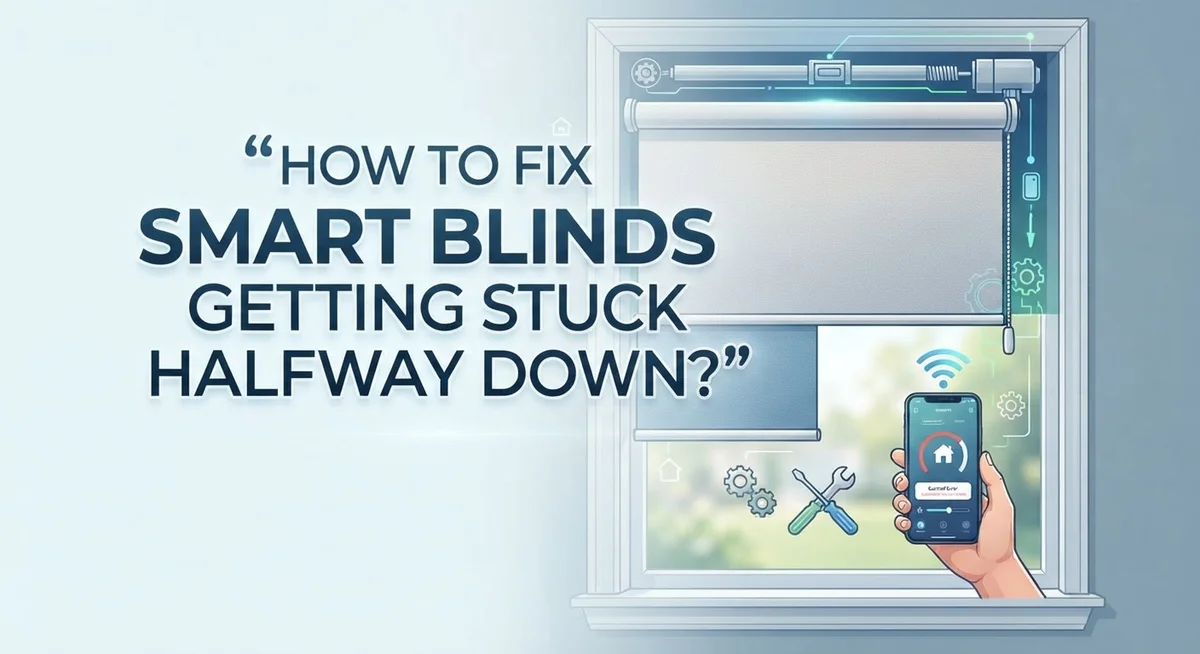
How To Fix Smart Blinds Getting Stuck Halfway Down?
Smart blinds getting stuck halfway down is one of the most frustrating problems homeowners face. You press the button, the blinds start moving, and then they just stop. Right in the middle of your window.
The good news? This problem is almost always fixable without calling a technician.
Most cases come down to a handful of common causes. Low batteries, incorrect limit settings, motor issues, and physical obstructions are the usual suspects. Each one has a clear solution once you know where to look.
This guide walks you through every step of the troubleshooting process. You will learn how to identify exactly why your smart blinds are stopping halfway. You will also learn how to fix the issue quickly and prevent it from happening again.
No guesswork, no complicated tools, and no expensive service calls needed. Let’s get your smart blinds working smoothly again.
In a Nutshell
Low or dead batteries are the most common reason smart blinds stop halfway. Recharge the shade battery or replace the remote batteries first.
Incorrect limit settings can confuse the motor. The blinds stop because they think they’ve reached the end of their travel range.
A power cycle fixes many issues fast. Disconnect all power for at least 60 seconds, then reconnect and test.
Manually pulling motorized blinds is a common mistake. It disconnects the motor from the shade mechanism and causes exactly this problem.
Physical obstructions matter too. Bent slats, warped materials, or loose brackets can block movement just as easily as an electrical fault.
Resetting and reprogramming the upper and lower limit positions is often the final fix when nothing else works. This teaches the motor where your window actually starts and stops.
Why Do Smart Blinds Get Stuck Halfway Down?
Smart blinds get stuck halfway down for specific mechanical and electrical reasons. Understanding these causes helps you fix the problem quickly.
Battery failure is the leading cause. Your smart blinds rely on rechargeable batteries to power the motor. When batteries run low or completely dead, the motor cannot move the blinds all the way down. The system often stops at the midpoint because it lacks enough power to complete the full cycle.
Motor disconnection happens more often than you think. If someone manually pulls the blinds down or up, the internal chain or gear system separates from the motor. The motor then has nothing to drive, leaving your blinds frozen in place.
Incorrect limit settings confuse the motor about where your window actually ends. Smart blinds use upper and lower stop positions to know their full range of motion. When these settings get mixed up, the motor stops before reaching the bottom.
Power supply issues interrupt normal operation. A tripped circuit breaker, loose electrical connections, or damaged power cables prevent electricity from reaching your blinds. Your system might partially activate but lack enough power to finish moving.
Remote control problems also play a role. Dead batteries in your remote, signal interference from other devices, or a malfunctioning controller prevent proper commands from reaching the blinds motor.
Physical obstructions like bent slats, warped materials, or loose mounting brackets create friction. The motor tries to push through resistance but stops halfway when the effort becomes too great.
Misaligned chains or mechanisms occur after manual pulling or rough handling. The internal parts slip out of position, preventing smooth operation.
Each cause has a straightforward fix. Start with the simplest solutions first.
How To Check Power Supply and Battery Status First
Your smart blinds rely on two power sources working together. The first is the main power supply connected to your motor. The second is the battery backup inside your shade controller or remote. Both need attention when your blinds stop moving.
Start by checking the battery status on your controller. Most smart blind systems display battery level through an app, LED indicator, or digital screen. Low battery is the single most common cause of stuck blinds. If your battery shows below 20 percent, recharge it immediately using the charging cable that came with your system.
Next, inspect all power connections physically. Look at the cable running from your motor to the power source. Make sure it plugs in completely with no loose connections. Check that the outlet itself works by plugging in another device like a lamp. If the outlet is dead, test your home’s circuit breaker to see if it tripped.
Replace the batteries in your remote control too. Many people overlook this simple step. Dead remote batteries prevent commands from reaching your blinds, making them appear stuck even though the motor works fine.
Perform a full power cycle next. Disconnect all power sources from your blind system for at least 60 seconds. This includes unplugging the motor and removing remote batteries. Wait the full minute, then reconnect everything in reverse order. Power cycling clears temporary errors that freeze the motor mid movement.
After reconnecting power, test your blinds with the remote from close range. If they move, you likely had a battery or connection issue. If they still stick halfway, move forward with limit setting checks and physical inspections.
How To Power Cycle Your Smart Blinds
A power cycle is one of the most effective fixes for stuck smart blinds. This process resets your system’s electrical memory and clears temporary glitches that cause the motor to freeze.
Here’s how to perform a proper power cycle:
First, locate the power source for your smart blinds. This might be a wall outlet, battery pack, or hardwired connection depending on your system type. Unplug the power cable completely from the outlet or disconnect the battery pack.
Wait for at least 60 seconds while the system is completely unplugged. This full disconnection allows all electrical charge to drain from the motor and control board. Don’t skip this waiting period—it’s essential for a complete reset.
After 60 seconds have passed, reconnect the power source. Plug the cable back into the wall outlet or reinsert the battery pack firmly until you hear a click or see an indicator light.
Test your blinds immediately. Use your remote control to move the blinds up and down slowly. Watch for smooth operation throughout the entire range of motion.
If your blinds still stick halfway, the power cycle alone didn’t solve the problem. However, this step eliminates electrical issues from consideration, which helps you identify the real cause more quickly.
Important note: Power cycling works best when combined with a battery check. Make sure your remote control batteries are fresh before testing. Weak remote batteries can cause communication failures that mimic motor problems.
Repeat this power cycle process once if needed, but if sticking persists after two attempts, move on to checking limit settings or physical obstructions.
How To Reset and Reprogram Limit Settings
Your smart blinds have upper and lower limit settings. These settings tell the motor where your window starts and stops. When limits are set incorrectly, the motor gets confused and stops halfway.
Resetting your limit settings is simple. Most smart blind systems have a reset button on the motor itself or in the mobile app. Check your user manual to find the exact location. The reset button usually looks small and recessed.
To reset limits properly, follow these steps. First, manually move your blinds all the way to the top of your window. Press and hold the reset button for about 5 to 10 seconds until you see a light flash or hear a beep. This tells the system you’ve found the upper limit.
Next, use your remote to lower the blinds slowly. Guide them down until they reach the bottom of your window. Stop the blinds at the lowest point and press the limit button again. The system now knows both your window boundaries.
Test your blinds after reprogramming. Move them up and down several times using your remote. They should travel smoothly without stopping halfway.
If your app has a limit settings menu, you can also reprogram limits digitally. Open the app and look for “limit settings” or “window calibration.” Follow the on screen instructions to set new upper and lower positions.
Some systems require you to reprogram limits after a power cycle. This is normal. The motor essentially forgets where your window is located after losing power.
If resetting limits doesn’t fix the problem, your motor may have a mechanical issue. Check whether the chain or cord is tangled or misaligned. Physical obstructions prevent smooth movement even with correct limit settings.
How To Fix Remote Control and Signal Interference Issues
Remote control and signal interference can stop your smart blinds from responding properly. When your blinds get stuck halfway, the problem often comes from your remote losing connection to the motor.
Start by testing your remote from different distances. Move closer to the blinds and try again. If they respond when you’re near but fail from across the room, interference is blocking your signal. Walls, metal objects, and other wireless devices can weaken the connection between your remote and the motor.
Check what’s between you and the blinds. Large furniture, mirrors, and appliances like microwaves create interference. Move these obstacles if possible. Your remote needs a clear line of sight to work best.
Replace the batteries in your remote control next. Weak batteries send weak signals that struggle to reach the motor. Fresh batteries often solve connection problems immediately. Test the remote after installing new batteries.
If interference persists, move your wireless router away from the blinds system. Routers and smart blinds sometimes compete for the same frequency. Keeping them separated reduces signal conflicts.
Try reprogramming your remote to the motor. Most systems have a pairing button on the motor itself. Press and hold this button until a light blinks, then use your remote to confirm the connection. This resets the communication between devices.
Test your blinds from multiple locations in your home. If they work in some rooms but not others, you’ve found interference hotspots. Avoid using the remote from these areas, or consider relocating your router and other wireless devices.
If your remote works but the blinds still stick halfway, the problem likely involves the motor or limit settings rather than signal interference.
How To Inspect and Fix Physical Obstructions or Damage
Physical obstructions and damage are common reasons your smart blinds get stuck halfway. Start by visually inspecting the entire blind mechanism from top to bottom.
Look for debris, dust, or objects blocking the slats or chain. Dust buildup reduces smooth movement. Gently wipe the tracks and slats with a soft cloth to remove particles. Check if any slats are bent or warped. Bent slats create friction and stop the blinds from moving freely.
Examine the brackets holding your blinds to the window frame. Loose brackets cause misalignment. Tighten them carefully with the appropriate tool. Verify that the chain or cord isn’t tangled or kinked. A twisted chain prevents proper operation.
Inspect the motor connection point where the motor attaches to your blind mechanism. This connection can loosen over time, especially if someone manually pulled the blinds. Manually pulling motorized blinds disconnects the motor from the shade mechanism. Reconnect the motor firmly to the mechanism if it’s loose.
Check for water damage or moisture around the motor and connections. Moisture causes electrical issues and mechanical corrosion. If you find moisture, allow the system to dry completely before testing.
Look at the power cord for damage like cuts or fraying. Damaged cords prevent proper power delivery. After inspecting everything, cycle your blinds up and down several times using your remote. This movement helps identify where the obstruction occurs.
If you spot physical damage like bent components or broken parts, those parts may need replacement. Document what you find with photos. This information helps when contacting support or ordering replacement components.
Common Mistakes That Cause Smart Blinds To Get Stuck
Manually pulling your motorized blinds is one of the biggest mistakes homeowners make. When you yank the cord or chain by hand, you disconnect the motor from the shade mechanism. This physical separation stops the motor from controlling movement, leaving your blinds stuck mid position.
Low or dead batteries cause many stuck blind situations. Your remote won’t send signals if batteries are weak. The motor also needs power to operate. Check battery levels in both your remote and the motor unit itself.
Skipping a full power reset is another common error. Many people flip a switch off and on quickly, but this doesn’t work. Your smart blind system needs 60+ seconds of complete power disconnection to reset properly. Unplug the motor entirely or turn off the circuit breaker for at least a minute.
Ignoring physical damage leads to bigger problems later. Bent slats, warped materials, or loose brackets create friction that stops movement. Debris and dust buildup also block smooth operation. Take time to inspect your blinds visually before assuming the motor is broken.
Not checking power connections causes frustration too. Loose wires at the motor or power outlet prevent electricity from reaching the system. Verify that all cables are firmly connected and your circuit breaker hasn’t tripped.
Finally, many people forget about wireless interference. Your router, microwave, or other devices can block remote signals. Test your remote from different distances and locations to identify interference problems early.
How To Prevent Smart Blinds From Getting Stuck Again
Preventing your smart blinds from getting stuck again requires consistent maintenance and smart habits. Regular cleaning keeps your blinds moving smoothly. Dust and debris accumulate on slats and tracks over time. Wipe down your blinds monthly with a soft cloth. Pay special attention to the motor connection point where movement happens.
Check your batteries regularly. Low batteries are a leading cause of stuck blinds. Replace remote batteries every 3 to 6 months, even if they still work. Check the shade battery monthly and recharge when you notice slower movement.
Cycle your blinds up and down after cleaning. This simple step helps ensure the motor stays responsive. Move them through their full range of motion at least once weekly. This prevents the mechanism from getting stiff or stuck in one position.
Keep your wireless router away from your blind system. Signal interference can cause your blinds to stop mid movement. Position your router in a central location away from your window treatments.
Avoid manually pulling your motorized blinds. This disconnects the motor from the shade mechanism and causes major problems. Always use your remote or app to control movement.
Store your remote properly. Keep it away from heat, moisture, and direct sunlight. These conditions damage internal components and weaken signal strength.
Check power connections monthly. Make sure the power cord sits securely in the outlet. Loose connections cause random failures and stuck positions.
Finally, reprogram your limit settings every 6 months. Over time, settings can shift slightly. Resetting upper and lower stops helps your blinds recognize window boundaries correctly. These prevention steps keep your smart blinds working reliably for years.
Final Thoughts
Smart blinds getting stuck halfway is a frustrating but very fixable problem. Most issues come down to a few core causes: low batteries, incorrect limit settings, motor disconnection, or physical obstructions.
The good news is that you do not need professional help for most of these fixes. A simple power cycle, battery recharge, or limit reset solves the majority of stuck blind situations.
Start with the easiest checks first. Verify your battery level, test your remote up close, and cycle the power before assuming something is seriously wrong. These quick steps save you time and effort.
If the easy fixes do not work, move on to checking your limit settings. Resetting the upper and lower stop positions helps your motor recognize where your window starts and ends. This is one of the most overlooked fixes.
Always inspect for physical damage after trying the electronic fixes. Bent slats, loose brackets, or a disconnected motor chain can stop your blinds mid-travel every single time.
Remember that manually pulling motorized blinds is a leading cause of motor disconnection. Avoid doing this, even when the blinds seem unresponsive.
Consistent maintenance keeps your smart blinds running smoothly long term. Monthly connection checks, regular battery monitoring, and periodic limit reprogramming go a long way.
Your smart blinds are a convenient and practical part of your home. Treating them with basic care means fewer stuck moments and a longer lifespan for your system.
Follow the steps in this guide from top to bottom, and you will solve the problem efficiently. Most homeowners fix their stuck smart blinds in under 30 minutes.
Frequently Asked Questions
Why do my smart blinds stop halfway down?
Smart blinds get stuck halfway for several reasons. The most common cause is low or dead batteries in your shade or remote control. A disconnected motor also causes this issue, which happens when you manually pull motorized blinds. Incorrect limit settings make your blinds think the halfway point is the actual window stop. Power supply problems and wireless interference can also freeze your blinds mid-motion.
How do I fix stuck smart blinds quickly?
Start with the simplest fix first. Recharge your shade battery and replace remote batteries if needed. Next, perform a full power reset by disconnecting all power for 60 seconds or more. Then power everything back on. If that doesn’t work, reprogram your upper and lower limit settings so your blinds recognize your actual window stops.
What should I check before calling for help?
Inspect all power connections to make sure they’re secure. Look at your power cord for damage like cuts or fraying. Check if anything physically blocks your blinds, like debris or bent slats. Test your remote from closer range to rule out wireless interference. Look for bent components or warped materials that might prevent smooth movement.
Can I manually pull my smart blinds if they’re stuck?
No, avoid manually pulling motorized blinds. This disconnects the motor from the shade mechanism and causes more problems. Instead, focus on the electronic fixes like battery replacement and power cycling. If your blinds stay stuck after these steps, physical damage might be the cause.
How often should I maintain my smart blinds?
Check your batteries monthly and cycle your blinds up and down after cleaning. Verify power connections stay secure in outlets. Reprogram your limit settings every 6 months to keep everything working smoothly.

Hi, I’m Yuri — I’m a tech enthusiast who loves breaking down complex gadgets, software, and tools into simple, honest reviews and guides. My goal? To help you spend less time researching and more time enjoying the right tech.