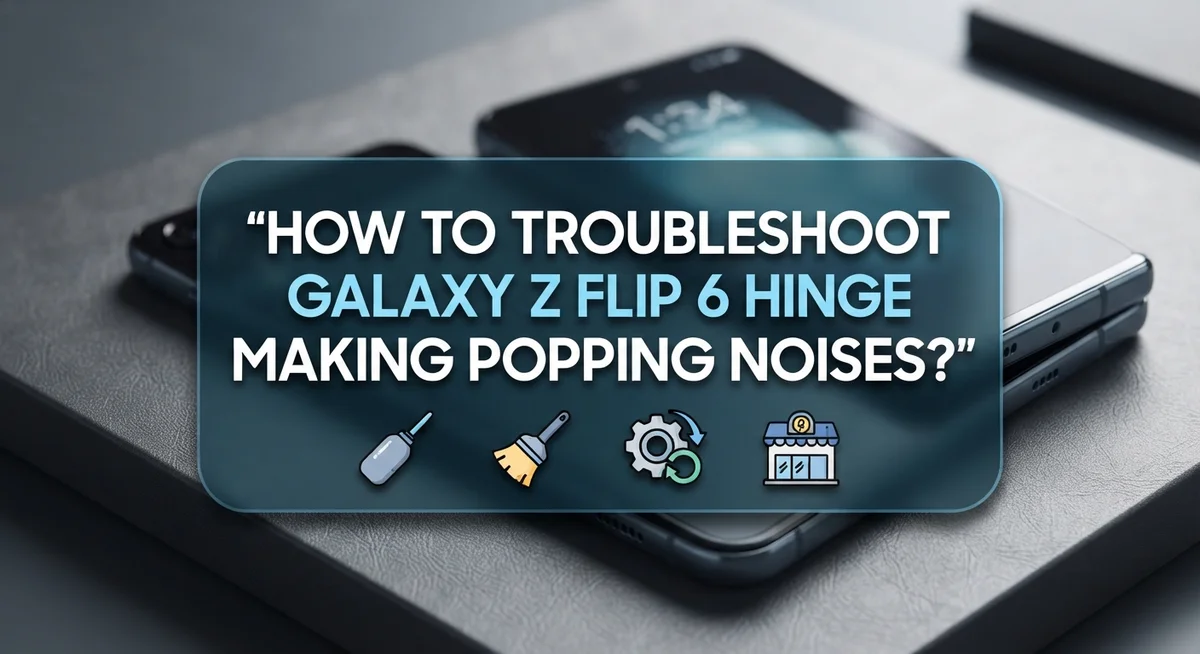
How To Troubleshoot Galaxy Z Flip 6 Hinge Making Popping Noises?
Does your Galaxy Z Flip 6 make a strange popping sound when you open or close it? You are not alone.
Many users report clicking, crackling, or popping noises coming from the hinge. Some even notice it within the first week of owning their new phone.
The good news? This noise is often completely normal. Your Z Flip 6 has tiny internal brushes inside the hinge. These brushes sweep away dust every time you fold and unfold the phone.
But how do you know if your hinge noise is normal wear or an actual problem? This guide will walk you through simple troubleshooting steps to check your device.
In a Nutshell
- Popping sounds are often normal. Your Galaxy Z Flip 6 has internal brushes that sweep dust away. This creates small clicking or crackling noises during regular use.
- Clean the hinge gently. Use canned compressed air and spray it carefully along the hinge sides. This removes trapped dust that causes noise.
- Rinse with water if needed. A gentle rinse under running tap water can help clear debris. Avoid soaking the device or using excessive water pressure.
- Check the screen crease too. Sometimes the popping sound comes from the crease area, not just the hinge. Flex the phone slightly to locate the exact source.
- Avoid rough cleaning methods. Skip sharp tools or forceful actions near the hinge. These can cause real damage instead of fixing minor noise.
- Know when to contact support. If the noise gets louder or worse over time, or your phone starts acting strangely, reach out to Samsung support for warranty help.
Understanding the Galaxy Z Flip 6 Hinge Mechanism
Your Galaxy Z Flip 6 contains a sophisticated hinge system that allows the screen to fold smoothly. This hinge is not a simple connector. Instead, it houses multiple internal components working together.
The hinge includes brushes made from soft materials. These brushes serve an important purpose. They sweep dust and debris away as you open and close your phone. This sweeping action happens every single time you use the device.
When these brushes move across the hinge surfaces, they can create sound. The popping, clicking, or crackling noise you hear often comes from this normal operation. Think of it like a small broom cleaning inside your phone automatically.
The screen crease area also plays a role in sound production. Your Galaxy Z Flip 6 has a visible crease where the screen folds. This area flexes thousands of times. That movement can generate noise just like the hinge does.
The hinge mechanism must be extremely precise to work properly. Samsung engineers designed it to handle repeated folding without breaking down. However, this precision means small components fit tightly together. When they move, friction creates sound.
Understanding this design helps you recognize what is normal. A soft popping sound during regular use typically means everything is working as intended. The internal brushes are doing their job.
However, you should pay attention to changes. If the noise becomes noticeably louder or if it happens when your phone is stationary, something may be wrong. These changes signal that you should investigate further or contact support.
The key is knowing the difference between normal operation sounds and signs of actual damage. Most popping noises fall into the normal category.
Common Causes of Popping, Clicking, and Crackling Sounds
Your Galaxy Z Flip 6 makes sounds at the hinge for several reasons. Understanding these causes helps you decide if action is needed.
Internal brushes create normal sounds. The hinge contains soft brushes that sweep dust and debris away as you open and close your phone. This sweeping action produces clicking, crackling, or popping noises. These sounds are expected during normal use. Many users hear them within the first week of ownership.
Dust and debris accumulation matters. Over time, small particles gather along the hinge edges. Lint, sand, or dirt can amplify the popping sound you hear. As the hinge moves, these particles shift and create additional noise. Regular use in dusty environments speeds up this buildup.
The screen crease area contributes too. The fold line where your screen bends is not a solid connection. Small movements in this crease zone can generate popping sounds. The screen material flexes slightly each time you open or close the device. This flexibility is by design but does produce noise.
Moisture affects hinge performance. Water or humidity inside the hinge mechanism can change how sounds travel. Moisture may cause brushes to stick slightly or move differently. This changes the noise pattern you hear.
Normal wear happens gradually. Your hinge components settle into their final positions over weeks of use. This settling process can produce temporary sounds. Once components stabilize, noise levels often decrease.
Minor defects are possible but rare. Occasionally, a manufacturing issue causes excessive noise from day one. However, most popping sounds fall within normal operation ranges. Pay attention to whether sounds increase over time or if your phone malfunctions alongside the noise.
Step-by-Step Guide to Cleaning the Hinge Safely
Cleaning your Galaxy Z Flip 6 hinge requires a gentle approach. Start by powering off your device completely. This prevents accidental touches or damage during the cleaning process.
Use canned compressed air as your first tool. Hold the can upright and use short bursts. Angle the nozzle toward the hinge sides rather than directly into the seams. Apply air in 2 to 3 second intervals. Let the hinge dry between applications.
For stubborn debris, a soft brush works well. Use a brush with very fine bristles. Gently brush along the hinge edges where dust collects. Move the brush in one direction only. Avoid pushing particles deeper into the mechanism.
Water rinsing requires extreme caution. If you choose this method, use distilled water only. Tap water contains minerals that can leave residue. Dip a soft cloth in water and gently wipe the hinge area. Do not pour water directly onto the phone. Avoid getting moisture inside the device.
Pat the hinge completely dry with a clean cloth. Wait at least 30 minutes before powering on your phone. This allows any remaining moisture to evaporate naturally.
Never use harsh chemicals or solvents. Alcohol, acetone, or cleaning sprays can damage internal components. Skip toothbrushes or metal tools entirely. These are too abrasive for delicate hinge parts.
After cleaning, open and close your device slowly several times. Listen for changes in the sound. Most popping noises decrease after debris removal. If sounds remain the same or worsen, contact Samsung support. Your warranty covers defects affecting device function.
Inspecting the Screen Crease for Flex-Related Noise
The screen crease is where your display folds in half. This area can produce popping or crackling sounds during normal use. Understanding what you’re hearing helps you determine if action is needed.
Start by observing the sound carefully. Open and close your device slowly while listening near the crease. Does the noise happen at the same spot each time? Note whether it sounds like a pop, click, or crackle. This information matters when deciding next steps.
The crease itself is not a solid joint. Instead, your screen bends along a thin line where the display layers separate slightly. When you fold the phone, these layers shift and can create minor sounds. This is typically normal behavior.
Inspect the crease visually under good lighting. Look for any visible gaps, separation, or damage along the fold line. Run your finger gently across the area to feel for unusual bumps or irregularities. Check both the top and bottom edges of the crease.
Dust and debris often gather along the crease area. These particles can amplify sounds or create new ones. If you see visible dirt, use canned compressed air to blow it away gently. Point the air stream along the crease edges, not directly into the fold.
Watch for changes over time. A crease that makes consistent, quiet sounds is usually functioning normally. However, if the noise becomes louder or is accompanied by visible damage, your device may need service.
Press gently on both sides of the crease while the phone is open. Does the sound change or disappear? This test reveals whether flex is causing the noise. If pressure stops the sound, flex related noise is likely your issue.
Mistakes to Avoid When Diagnosing Hinge Noises
When you start investigating hinge noises on your Galaxy Z Flip 6, several mistakes can lead you down the wrong path. Understanding what NOT to do is just as important as knowing the right steps.
Avoid aggressive cleaning methods first. Many owners assume that vigorous scrubbing will solve the problem. Scrubbing hard or using stiff brushes can actually damage the delicate internal components. The hinge contains soft brushes and precision parts that break easily under pressure.
Do not expose the hinge to excessive water. Some people think a thorough rinse will wash away all debris. Pouring water directly on the hinge or submerging the device creates moisture problems. Even small amounts of water trapped inside can cause electrical issues or corrosion over time.
Stop assuming every noise means something is broken. This is the biggest mistake owners make. Popping and clicking sounds are often completely normal. The internal brushes create these sounds as they sweep dust during open and close cycles. A barely audible pop is different from a loud crack accompanied by malfunction.
Avoid jumping straight to warranty claims. Before contacting support, document exactly when the noise occurs. Does it happen only when you open the device? Does it continue getting louder each day? This information helps you determine if you actually have a problem.
Never use harsh chemicals or solvents. Alcohol, acetone, and commercial cleaners damage internal coatings. These substances can create bigger problems than the original noise.
Take your time with diagnosis. Observe the noise pattern for several days. Most popping sounds on new devices settle down as the hinge breaks in naturally.
When Hinge Sounds Signal a Deeper Problem
Hinge sounds on your Galaxy Z Flip 6 can feel alarming. However, not every noise signals a serious problem. Understanding when sounds indicate genuine damage versus normal operation helps you respond correctly.
Minor popping and clicking sounds are often normal. Your device contains internal brushes that sweep dust as you open and close the hinge. These brushes create subtle sounds during regular use. If the noise is barely audible and your phone functions perfectly, this is likely expected wear.
Sounds become concerning when they change in character or intensity. Pay attention if the popping grows louder over time. Notice if clicking sounds accompany physical problems like the screen not closing smoothly or gaps appearing at the hinge. These combinations suggest internal component damage.
Watch for performance issues alongside noise. Does your screen flicker when you hear the sound? Does the device feel loose or unstable when folded? Does the hinge resist opening or closing? Any of these signs warrant professional evaluation.
New devices sometimes make noise right away. Even phones just one week old can produce popping sounds. This doesn’t automatically mean something is wrong. Give your device a few weeks of normal use before assuming defect.
Document what you observe. Record when the noise happens. Note whether it occurs during specific movements or constantly. Track whether intensity increases. This information helps support staff diagnose the issue accurately.
Contact Samsung support if noise accompanies malfunction or grows progressively worse. Provide your documentation. If your device is under warranty, Samsung will evaluate whether replacement is necessary. Many minor sounds require no action beyond monitoring.
How to Monitor and Document Noise Patterns Over Time
Tracking hinge noise patterns gives you solid evidence to share with support if needed. Start by creating a simple log where you record each time you notice the sound. Write down the date, time, and what you were doing when the noise happened.
Note the specific conditions. Was your phone open or closed? Were you opening it quickly or slowly? Did the sound come from the left side, right side, or center crease? These details matter because they help identify whether the noise is random or tied to specific actions.
Document the sound quality itself. Is it a single pop, repeated clicking, or continuous crackling? Does it sound metallic, plastic, or muffled? Recording a short audio clip on another device can be helpful. This gives you a reference point to compare against future sounds.
Track intensity changes over time. Rate the loudness on a simple scale like quiet, moderate, or loud. If the noise gets progressively louder over weeks, that’s important information. Conversely, if it stays exactly the same for months, that suggests normal operation.
Note any other symptoms happening alongside the sound. Does your screen flicker? Does the hinge feel loose or stiff? Does the device fail to close completely? These connections help determine if the noise is cosmetic or indicates a real problem.
Keep your log for at least two to four weeks. This timeframe shows whether the issue is stable or worsening. When you contact Samsung support, your documentation proves you’ve been paying attention and helps them decide whether warranty service is needed. Clear records speed up the support process significantly.
Deciding When to Contact Samsung Support or Warranty Service
Your Galaxy Z Flip 6 hinge noise might be normal, but sometimes you need professional help. Here’s how to decide if you should contact Samsung.
Minor popping sounds don’t always mean you need warranty service. If the noise is barely audible and your phone works perfectly, you can usually wait and monitor it. Many owners report that hinge sounds stay the same for months without any problems.
Contact Samsung support when the noise changes or gets louder over time. This pattern suggests something inside the hinge is wearing abnormally. You should also reach out if the popping happens alongside other issues like screen flickering, touch problems, or difficulty opening and closing the device.
Document your findings before you call. Write down when the noise started, how often it occurs, and what it sounds like. Note if it happens during specific activities like opening the phone quickly or after temperature changes. This information helps Samsung determine if you have a genuine defect.
If your phone is still under warranty, Samsung will likely service it for free. Most Galaxy Z Flip 6 devices come with a one year limited warranty that covers hinge defects. Check your purchase receipt or Samsung account to confirm your coverage dates.
Contact Samsung through their official website, app, or by visiting an authorized service center. They may ask you to send videos of the noise or bring the device in for inspection. Be honest about what you’ve already tried, especially any cleaning attempts.
Don’t wait if the hinge becomes difficult to operate. Resistance when opening or closing the phone signals internal damage. This requires professional attention right away to prevent further deterioration.
Final Thoughts
Your Galaxy Z Flip 6 hinge will likely make some noise. This is simply part of how foldable phones work.
Small pops and clicks usually mean nothing serious. The internal brushes clear dust every time you fold your phone. This keeps the mechanism running smoothly.
Start with simple checks first. Clean the hinge gently with compressed air. Watch how the noise responds to basic care.
Pay attention to changes, not just sounds. A noise that stays the same over weeks is different from one that grows louder. Growing intensity often signals something worth checking.
Your documentation matters more than you think. Simple notes about timing and triggers help you spot real patterns. This log becomes valuable if you ever need support.
Trust your instincts about your own device. You know how your phone normally sounds and feels. Any sudden shift from that baseline deserves attention.
Warranty coverage exists for genuine problems. Samsung stands behind manufacturing defects and unusual hinge failures. Don’t hesitate to use this protection when something feels wrong.
Most Z Flip 6 owners never need repairs for hinge noise. The sounds you hear are typically the phone working exactly as designed. Foldable technology naturally makes different sounds than traditional phones.
Stay calm about occasional pops and clicks. Focus your concern on accompanying symptoms like screen flickering or physical resistance when folding. These combinations matter more than noise alone.
Simple troubleshooting solves most concerns quickly. Clean your hinge, observe patterns, and document anything unusual. This approach handles the vast majority of cases without extra steps.
When genuine problems arise, Samsung support exists to help. Your careful observation and documentation make that process faster and smoother for everyone involved.
Frequently Asked Questions
Is the popping noise from my Galaxy Z Flip 6 hinge normal?
Yes, the popping noise is usually normal. Your device has internal brushes inside the hinge. These brushes sweep dust away each time you open and close your phone. The sound you hear is often just this cleaning action happening.
Many Galaxy Z Flip 6 owners report similar sounds. Even brand new devices can make these noises within the first week. If the sound stays quiet and your phone works fine, you likely have nothing to worry about.
What causes the clicking and crackling sounds?
The hinge contains moving parts that work together. Dust particles can collect around the screen crease and hinge area. When you fold or unfold your phone, these parts shift slightly. The friction creates the clicking or crackling sounds you notice.
The screen crease itself can also flex during normal use. This flexing sometimes produces popping sounds. Both locations are common sources of these noises.
Should I clean my hinge to stop the noise?
Gentle cleaning can help. Use canned compressed air and apply it carefully to the hinge sides. Hold the can upright and use short bursts. Avoid spraying directly into the crease at odd angles.
You can also rinse the hinge gently under running tap water. Pat the area dry with a soft cloth afterward. Do not use aggressive scrubbing or excessive water. These methods can damage internal components instead of helping.
When should I contact Samsung about hinge noise?
Contact Samsung if the noise gets louder over time. Also reach out if the sound changes from occasional pops to constant crackling. Report any issues if the noise appears alongside other problems like screen malfunction or hinge resistance changes.
Minor, consistent popping that stays the same for weeks is usually fine. Major changes in sound or new symptoms mean you should call support.

Hi, I’m Yuri — I’m a tech enthusiast who loves breaking down complex gadgets, software, and tools into simple, honest reviews and guides. My goal? To help you spend less time researching and more time enjoying the right tech.